




TL;DR
- NetSuite procurement software integration doesn’t have to take 6–9 months when platforms are purpose-built for NetSuite.
- Most long integrations fail due to custom APIs, over-engineered features, and heavy change management.
- With pre-built NetSuite connectors and a modular approach, procurement software can go live in 3–5 weeks.
- A phased, week-by-week implementation reduces risk while delivering value quickly.
- Starting with one module, like Procure-to-Pay, helps prove ROI before expanding.
- Zycus enables fast, low-risk NetSuite procurement software integration with guided workflows and minimal IT effort.
I hear this from CFOs and Finance Directors constantly. And I get it, you just went through NetSuite implementation. The thought of another massive integration project is exhausting.
“We can’t afford a 6-month integration project right now.”
But here’s the thing: integration doesn’t have to take 6 months.
When procurement software is built specifically for NetSuite (instead of retrofitted from an enterprise platform), you can go live in 3-5 weeks.
Here’s exactly how that works.
Why Most Integrations Take 6-9 Months
Before we talk about the fast path, let’s understand why traditional integrations take forever:
1. Custom API Development
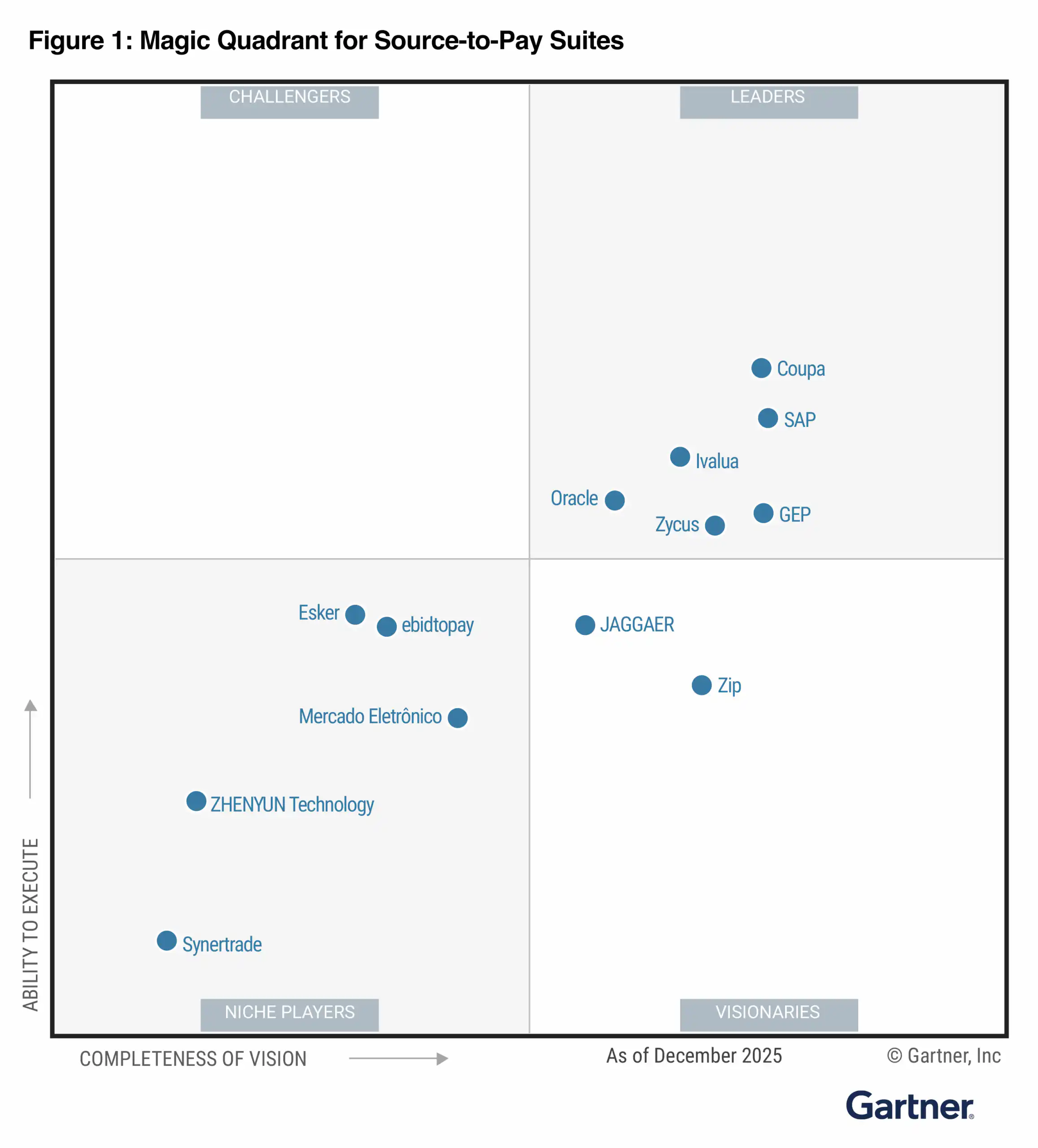
Enterprise platforms like Coupa and Ariba weren’t built for NetSuite. They were built for SAP and Oracle, then “adapted” for smaller ERPs.
That means:
- No pre-built connectors
- Custom API mapping for every data flow
- Endless edge case testing
- “It works in staging.” ≠ “It works in production.”
- Timeline impact: 8-12 weeks just for technical integration.
Read more: Why NetSuite Alone Isn’t Enough for Procurement (And What to Do About It)
2. Over-Engineered for Your Needs
Enterprise platforms have 400+ features because they serve $5B companies with 100-person procurement teams.
You’re a $200M company with 4 people in procurement.
Configuring and testing features you’ll never use takes… forever.
- Timeline impact: 6-8 weeks of unnecessary configuration.
3. Change Management Complexity
When you’re replacing 80% of existing workflows, user adoption becomes a 3-month project in itself.
- Timeline impact: 8-10 weeks of training, testing, and hand-holding.
4. The “Optimization” Phase
- Translation: Fixing all the things that broke in production.
- Timeline impact: Another 8-12 weeks post-launch.
- Total: 6-9 months (and that’s if everything goes smoothly).
The 5-Week Integration Model: How It Works
Purpose-built procurement platforms for NetSuite flip the script:
- Pre-built NetSuite connectors (not custom APIs)
- Modular deployment (start with one pain point)
- Mid-market feature set (no unnecessary complexity)
- Proven implementation playbook (not figuring it out as we go)
Here’s the week-by-week breakdown:
Week 1: Discovery & Design
What Happens:
- Review your current NetSuite configuration
- Map existing procurement workflows
- Identify integration touchpoints
- Define data flows (vendors, POs, invoices, approvals)
- Clarify which module(s) you’re starting with
Who’s Involved:
- Your NetSuite admin (5-8 hours)
- Procurement lead (4-6 hours)
- Finance director (2-3 hours)
- Implementation team from vendor
Key Deliverables:
- Integration architecture diagram
- Field mapping document
- Workflow design mockups
- Project timeline with milestones
- Common Pitfall to Avoid:
Don’t try to redesign your entire procurement process during integration. Start with “lift and shift,” optimize later.
Real Example:
A $180M tech company tried to redesign 12 workflows during Week 1. We talked them down to 3 priority workflows. They went live in 4 weeks instead of 12.
Week 2-3: Build & Configure
What Happens:
- Install pre-built NetSuite connectors
- Configure data mapping (vendor master, GL codes, approval chains)
- Set up workflows in the new platform
- Build a sandbox environment for testing
- Configure user roles and permissions
Who’s Involved:
- NetSuite admin (8-10 hours/week)
- Procurement lead (6-8 hours/week)
- IT security review (2-3 hours total)
Key Deliverables:
- Sandbox environment live
- Bi-directional sync tested (NetSuite ↔ Procurement Platform)
- User roles configured
- Test scenarios documented
What Gets Tested:
- Vendor record sync (create, update, merge)
- PO creation and approval routing
- Invoice matching and exception handling
- Real-time data sync latency
- Approval notification delivery
- Common Pitfall to Avoid:
Don’t use production data in sandbox testing. Clean, anonymized test data catches errors faster.
Pro Tip:
Run “break it” tests, intentionally create error scenarios (duplicate vendors, mismatched invoices, missing approvals) to see how the system handles exceptions.
Download eBook: NetSuite + Zycus Integration Guide
Week 4: User Acceptance Testing (UAT)
What Happens:
- Real users test real workflows with real (istic) data
- Procurement team runs end-to-end scenarios
- Approvers test mobile and email notifications
- AP team tests invoice processing
- Document any bugs or issues (and fix them)
Who’s Involved:
- 5-8 end users from different departments
- Procurement team (full week)
- AP team (8-10 hours)
- NetSuite admin (on standby for issues)
Key Test Scenarios:
- Happy path: Standard purchase requisition → approval → PO → receipt → invoice → payment
- Approval rejection: What happens when a request is denied?
- Vendor not in system: How do users request new vendors?
- Emergency purchases: Can you expedite approvals for urgent needs?
- Budget overages: What happens when a request exceeds budget?
- Multi-level approvals: Do escalations work correctly?
Common Pitfall to Avoid:
UAT is not training. Users should approach this like they’re trying to break it, not learn it.
Success Criteria:
- 95%+ of scenarios pass without manual intervention
- Average time-to-PO meets or beats current state
- User feedback: “This is easier than our current process”
Week 5: Training, Cutover & Go-Live
What Happens:
Days 1-2: Training
- Role-based training sessions (1-2 hours each)
- Record sessions for future reference
- Provide quick-reference guides
Day 3: Final Checks
- Smoke test all workflows in production
- Verify NetSuite sync is active
- Confirm notification delivery
- Test mobile access
Day 4: Cutover
- Migrate essential data (active POs, open requisitions)
- Set up approval queues
- Enable production access for users
Day 5: Go-Live Support
- All-hands support (implementation team + your admins)
- Monitor for issues in real-time
- Rapid response to any problems
Who’s Involved:
- All procurement users (training)
- NetSuite admin (full-time Days 3-5)
- Implementation team (full-time Days 3-5)
- Procurement lead (full-time all week)
Common Pitfall to Avoid:
Don’t go live on a Friday. Monday or Tuesday gives you the full week to address any issues.
Success Metrics (First 30 Days):
- 90%+ user adoption
- <5% exception rate on approvals
- Average time-to-PO at or below previous baseline
- Zero “I can’t figure this out” escalations
Week 6+: Optimization & Scale
What Happens Post-Launch:
Days 1-14:
- Daily check-ins with the implementation team
- Monitor key metrics (approval time, PO volume, exception rates)
- Address any user friction points
- Fine-tune workflows based on real usage
Days 15-30:
- Weekly check-ins
- Run the first savings analysis
- Identify optimization opportunities
- Plan next module rollout (if applicable)
Months 2-3:
- Monthly business reviews
- Expand to additional modules (if starting modular)
- Train new users as team grows
- Build advanced workflows (e.g., auto-approvals for under-threshold)
Modular Deployment: The Smart Approach
You don’t have to implement everything at once. Most successful NetSuite companies start with one module, prove ROI, then expand.
Common Starting Points:
- Procure-to-Pay (P2P) if maverick spend is your biggest pain
- Source-to-Contract (S2C) if you’re leaving money on the table in negotiations
- Contract Lifecycle Management (CLM) if compliance is keeping you up at night
Example Rollout:
- Month 1-2: Implement P2P (5 weeks)
- Month 3-6: Stabilize, measure ROI, build business case
- Month 7-8: Add CLM (3-week implementation, faster because integration is done)
- Month 9-12: Add S2C (3 weeks)
Result: Full procurement suite in 12 months, but delivering value at Week 5.
Real-World Timeline: $240M Manufacturing Company
Company Profile:
- NetSuite for 4 years
- 200+ suppliers
- 6-person procurement team
Integration Plan:
- Start with P2P only
- Add CLM after 6 months
Actual Timeline:
- Week 1: Discovery completed (6 meetings, 2 workshops)
- Week 2-3: Build phase (hit 1 delay—GL code mapping needed review)
- Week 4: UAT passed with 97% success rate
- Week 5: Go-live on Tuesday, stable by Thursday
- Week 6: 92% user adoption, 3 minor workflow tweaks
6-Month Results:
- $1.2M in captured savings
- Maverick spent down 78%
- Time-to-PO cut by 60%
- They added CLM in Month 7, took only 3 weeks because integration was already done.
Your Pre-Integration Checklist
Before you start ANY integration, make sure you have:
- Executive sponsor (CFO, COO, or CEO)
- Dedicated NetSuite admin time (20-30 hours over 5 weeks)
- Procurement lead availability (50% time for 5 weeks)
- UAT user commitments (5-8 people, 10 hours in Week 4)
- Clear success metrics defined (what “good” looks like at Day 30)
- Change management plan (how you’ll drive adoption)
Don’t have these? Pause and secure them first. A 5-week timeline only works if everyone’s aligned.
Download the Full Implementation Playbook
Want the detailed project plan, stakeholder communication templates, and UAT test scripts?
Download the First 30 Days Checklist
Or schedule a 20-minute call, and we’ll walk through your specific NetSuite environment.
Related Reads:
- NetSuite Procurement Gap eBook
- NetSuite + Zycus Integration Guide
- CFO’s Procurement ROI Playbook
- Success Story: NetSuite Procurement Teams Cut Cycle Times by 75% with Zycus
- Why NetSuite Alone Isn’t Enough for Procurement (And What to Do About It)
- Enterprise vs. Purpose-Built Procurement for NetSuite