



A flat file is a simple data structure that stores information in a single table format, typically as rows and columns within a plain text file such as CSV, TXT, or fixed-width formats. In procurement, flat files serve as the primary mechanism for bulk data imports, exports, and system integrations when direct API connections are unavailable or impractical. These files enable organizations to transfer supplier records, purchase orders, catalog data, and spend information between systems without requiring complex technical interfaces.
Why Flat File Matters in Procurement
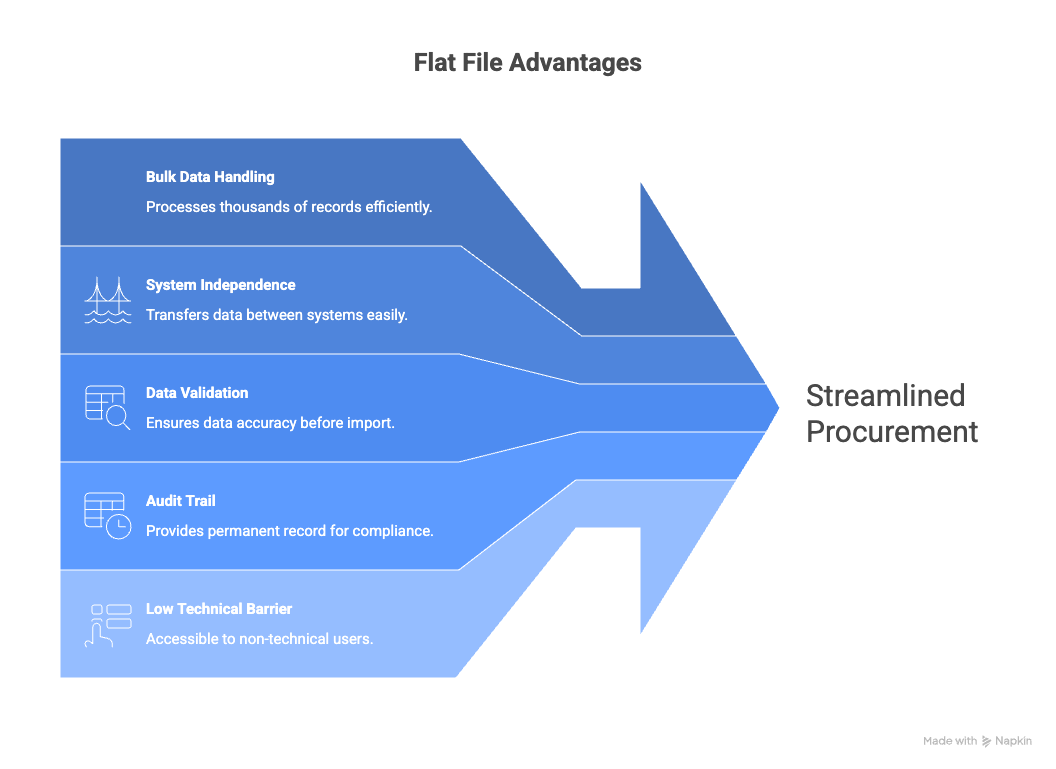
Flat files remain essential to procurement operations despite advances in real-time integration technologies. Many legacy ERP systems and supplier portals rely on flat file exchanges for data synchronization. When onboarding new suppliers in bulk, updating catalog pricing across thousands of items, or migrating historical spend data to a new platform, flat files provide a practical and controllable method. They allow procurement teams to validate and transform data before import, reducing the risk of corrupting master data. Without effective flat file management, organizations face manual data entry, integration delays, and inconsistent information across procurement systems.
The Core Process of Flat File
The flat file data import process begins with file preparation, where source data is extracted from an originating system and formatted according to the target system’s template requirements. This includes mapping fields correctly, applying proper data types, and ensuring required columns contain valid values.
Once prepared, the file undergoes validation. The receiving system parses the file structure, checks for formatting errors, and validates individual records against business rules. Common validation checks include duplicate detection, referential integrity verification, and mandatory field confirmation.
After validation, approved records proceed to staging where they await final review before committing to the production database. Procurement administrators can review flagged exceptions and make corrections at this stage without affecting live data.
The final step involves committing the staged data to the target system. Successful records update master files, create new transactions, or refresh catalog information. Failed records generate error logs for remediation and re-import.
Core Components of Flat File
File templates define the expected structure for each data type, specifying column headers, data formats, and field lengths. Well-documented templates reduce preparation errors and accelerate import cycles.
Field mapping translates source data attributes to target system fields. This mapping layer handles differences in naming conventions, data formats, and structural variations between systems.
Validation engines apply business rules to incoming data, rejecting records that violate data quality standards. These engines protect master data integrity by catching errors before they enter production.
Error handling mechanisms capture failed records, generate detailed error messages, and provide workflows for correction and resubmission. Effective error handling prevents data loss and maintains audit trails.
Common Pitfalls of Flat File
- Ignoring template updates: System upgrades often change import templates. Using outdated templates causes widespread import failures.
- Inconsistent data formatting: Mixed date formats, extra spaces, or special characters corrupt imports. Data cleansing before import is essential.
- Skipping validation revie: Rushing past the validation stage allows bad data into production, creating downstream errors across procurement processes.
- No version control: Without tracking file versions, teams cannot identify which file caused specific data issues or roll back changes.
Best Practices for Flat File Management
- Standardize naming conventions: Include data type, date, and version in file names to enable easy identification and tracking.
- Automate validation checks: Configure pre-import scripts to catch common errors before manual review begins.
- Maintain template libraries: Store current templates in a central repository with clear documentation and change history.
- Test with sample data: Run small test imports before processing full production files to identify mapping or formatting issues.
- Archive processed files: Retain imported files with timestamps for audit purposes and troubleshooting.
KPIs of Flat File
| Dimension | Sample KPIs |
| Import Success | First-pass import success rate, records requiring correction |
| Processing Time | Average time from file submission to data availability |
| Error Rate | Validation failures per import, common error categories |
| Volume | Records processed per period, file submissions per month |
Key Terms in Flat File
- CSV (Comma-Separated Values): A flat file format using commas to separate data fields within each row.
- Field Mapping: The process of aligning source data columns to target system fields.
- Validation Rules: Business logic applied to incoming data to ensure quality and consistency.
- Staging Area: A temporary data holding zone where imported records await final approval.
- Delimiter: The character used to separate fields in a flat file, such as comma, tab, or pipe.
- Fixed-Width File: A flat file format where each field occupies a predetermined number of characters.
Technology Enablement
Modern Source-to-Pay platforms include built-in flat file import utilities with template generators, automated validation, and error handling workflows. These tools reduce manual effort while maintaining data quality controls essential for procurement master data management.
FAQs
Q1. What is a flat file in procurement?
A flat file is a text-based data file used to import, export, or exchange bulk procurement data between systems.
Q2. What formats are commonly used?
CSV is most common, followed by tab-delimited TXT files and fixed-width formats for legacy systems.
Q3. When should I use flat files versus APIs?
Use flat files for bulk operations, system migrations, or when real-time integration is unavailable or unnecessary.
Q4. How do I reduce import errors?
Validate data before submission, use current templates, and review error logs from previous imports for patterns.
Q5. Can flat files handle complex data?
Flat files work best for tabular data. Hierarchical or relational data may require multiple linked files.
Q6. Who typically manages flat file imports?
Procurement system administrators or data stewards usually manage imports, with business users preparing source data.
References
For further insights into these processes, explore Zycus’ dedicated resources related to Flat File:
- Can Procurement Avoid Apple iPhone 6s Chipgate?
- Enhancing Brand Reputation Through Supplier Management and Supply Chain Management Solutions
- Procurement Greets Finance – Part 3: Bridging the Gap between Procurement and Finance with Advanced Technology
- Adding Enterprise Value with Better Procurement Practices in the Middle East
- Mastering PO and Non-PO Invoice Processing with Zycus